
How to Withdraw Money from PayPal to M-Pesa in Kenya
Learn how to withdraw money from PayPal to M-Pesa in Kenya easily 💸. Discover the best methods, fees, and tips for smooth, safe transfers to your mobile wallet. 🇰🇪
Edited By
Daniel Foster
Linking PayPal with M-Pesa has become a popular choice for many Kenyans who engage in online trading, freelancing, and international transactions. This combination allows users to receive payments from abroad directly into their M-Pesa wallets seamlessly, offering a convenient way to manage cross-border payments without relying on traditional banks.
To get started, it’s essential to understand that PayPal itself does not directly accept M-Pesa as a payment method. Instead, Kenyans often use intermediaries or platforms that connect the two services. This setup is handy for entrepreneurs and traders who want quick access to their foreign earnings.
The process usually involves the following key steps:
Create a PayPal account: Ensure your PayPal account is verified with a valid Kenyan address and mobile number.
Link a Kenyan bank account: Since direct M-Pesa link isn’t available on PayPal, linking a bank connected to your M-Pesa (like Equity or KCB) is necessary for transfers.
Register on a trusted PayPal to M-Pesa transfer platform: Services like Pezesha or BitPesa facilitate the quick transfer of funds from PayPal to M-Pesa.
Successful management of PayPal payments through M-Pesa hinges on using reliable, recognised platforms that obey Kenyan financial regulations, reducing the risk of losing money or encountering delays.
Logging in to PayPal is straightforward. Use your email and password on the official PayPal website or app. Make sure to enable two-factor authentication (2FA) for enhanced security, especially when dealing with significant amounts.
For entrepreneurs and freelancers, combining PayPal and M-Pesa offers a cost-effective and accessible way to manage payments without frequent trips to the bank. It’s like having your digital wallet and your mobile money in sync, giving you control over your finances on the go.
Keep an eye on the exchange rates and transaction fees charged by third-party platforms. Some may add unnecessary charges, affecting your net earnings. Comparing different services before proceeding ensures you get the best value.
This guide will walk you through each phase, from account setup to transferring funds safely and efficiently between PayPal and M-Pesa.
Grasping how PayPal and M-Pesa work together is vital for Kenyan traders, investors, and entrepreneurs who want to expand their financial reach. This integration eases cross-border transactions by linking a widely accepted global payment platform with Kenya's most popular mobile money service. For example, a small business owner in Nairobi can receive payments from international clients through PayPal and withdraw funds directly into their M-Pesa account, making cashing out as smooth as buying groceries at the local duka.
PayPal operates as one of the largest electronic payment systems worldwide, used in over 200 countries. It provides a secure way to send and receive money online without sharing bank details publicly. For Kenyans involved in freelance work, e-commerce, or trading on international platforms like eBay or Etsy, PayPal offers a reliable method to accept payments in multiple currencies. Its widespread acceptance by merchants and clients makes it an indispensable tool for business growth beyond local borders.
M-Pesa holds a firm place as Kenya’s dominant mobile money service with over 30 million active users. It transformed how Kenyans handle daily financial transactions by enabling instant money transfers, bill payments, and even savings through easily accessible mobile phones. For many, M-Pesa is the go-to platform for convenience and speed within the country. It’s especially crucial in areas where banking facilities are scarce but mobile network coverage is strong.
The key to unlocking cross-border opportunities lies in linking PayPal with M-Pesa. Though direct integration is not officially rolled out by both firms, several trusted third-party services facilitate cashing out PayPal funds into M-Pesa wallets. This linkage enables users to withdraw PayPal balances without needing a traditional bank account, a common challenge in Kenya’s informal and SME sectors.
For instance, a freelancer working with international clients can withdraw earnings from PayPal into M-Pesa and then easily spend or transfer money locally. Being aware of exchange rates, applicable fees, and timeline expectations when moving funds gives users control over their cash flow. Understanding these points helps to avoid pitfalls like unexpected charges or delays.
Linking these platforms opens up new pathways for Kenyan entrepreneurs and professionals, bridging local convenience with global financial networks.
In summary, knowing how PayPal and M-Pesa complement each other equips Kenyan users to maximise their earning potential, manage funds efficiently, and participate more actively in the digital economy.
Integrating PayPal with M-Pesa opens up convenient pathways for digital payments, especially for Kenyan traders and entrepreneurs who engage in international transactions. This section breaks down the process into clear steps, letting you avoid common hurdles when logging into PayPal through your M-Pesa account. Following these steps properly ensures your transactions proceed without glitches and your funds remain secure.
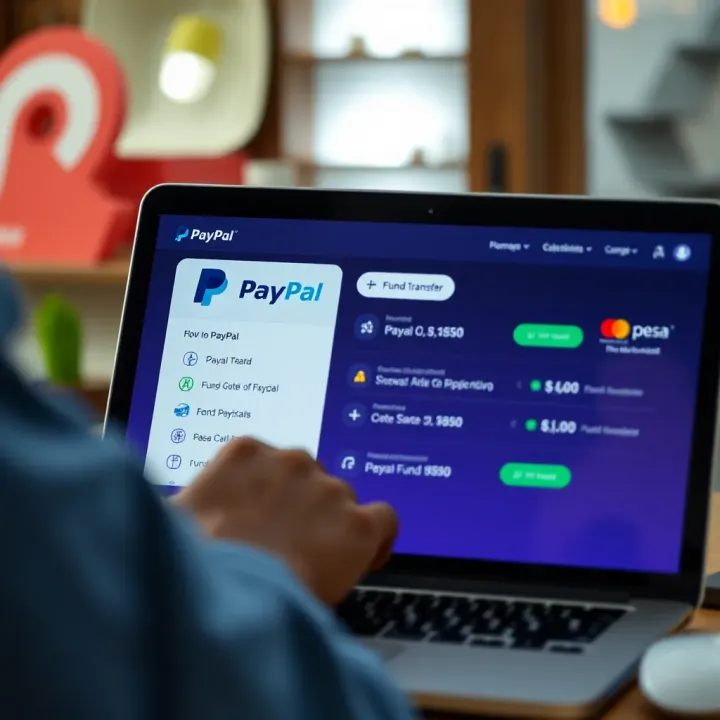
First, you need a valid PayPal account. Visit the PayPal website or app and sign up using your valid email address. Fill in accurate personal details as this information will be key during verification and in case of disputes. After registering, PayPal usually asks users to verify their identity. This includes confirming your email and sometimes linking a bank account or debit/credit card. Verification builds trust and increases your transaction limits, which is especially handy for business users or investors who handle larger sums.
Though PayPal does not directly integrate M-Pesa like it does with bank accounts, Kenyan users commonly link M-Pesa through mobile money services or third-party platforms that connect with PayPal. For example, services like PesaLink or using a Kenyan bank account connected to M-Pesa can act as intermediaries. Check if your bank supports e-payments linked to M-Pesa — linking it to PayPal via your bank account is often the most reliable and secure method. This lets you fund your PayPal wallet using M-Pesa and also withdraw PayPal funds back to M-Pesa through the bank.
When logging into PayPal, use your registered email and PayPal password. M-Pesa credentials are not used directly on PayPal but act behind the scenes through your connected bank or mobile money service. Always ensure you log in through official PayPal channels to avoid phishing attacks. Once inside, you can manage your balance, initiate payments, or transfer funds to M-Pesa-supported accounts. Keep your phone’s M-Pesa app updated and monitor transaction notifications closely to track any cross-platform activity.
Linking PayPal and M-Pesa effectively increases financial flexibility for Kenyans who need to send or receive international payments while staying rooted in local mobile money convenience.
This step-by-step guide should make the process straightforward, saving you time and avoiding frustration during initial setups and routine transactions. For businesses in Nairobi or even smaller towns, mastering this link provides an edge in managing online payments smoothly and safely.
Managing transfers between PayPal and M-Pesa is a key part of using these platforms effectively in Kenya. It ensures smooth flow of funds whether you’re receiving payments from abroad or making online purchases. For traders or entrepreneurs, being able to move money quickly and securely between PayPal and M-Pesa can make a big difference in managing cash flow and expanding business opportunities.
To send money from PayPal to M-Pesa, you first need to have linked both accounts. Once connected, you can withdraw funds from your PayPal balance directly to your M-Pesa mobile wallet. This process typically takes a few minutes to a few hours, depending on transaction volumes and network availability. For instance, if a Kenyan freelancer receives payment via PayPal, they can transfer the money instantly to M-Pesa and use it immediately to pay suppliers or withdraw cash from an M-Pesa agent nearby.
It’s important to double-check the M-Pesa number linked to PayPal before confirming the transfer to avoid sending money to the wrong account. Also, be aware of any conversion fees, as PayPal transactions usually involve currency exchange from dollars or euros to Kenyan shillings.
Funding your PayPal account using M-Pesa is another way to keep your PayPal wallet active. This usually involves going through a Kenyan payment gateway or a registered PayPal agent who accepts M-Pesa deposits. For example, some platforms allow you to use Lipa Na M-Pesa’s Paybill or Till number linked to your PayPal account. After sending money through M-Pesa, the equivalent amount will reflect in your PayPal balance.
This method is practical for users who do not have a credit or debit card to add funds directly to PayPal. However, always confirm that the service provider is legitimate to avoid scams. Keep transaction receipts as proof of payment, just in case verification is required later.
Tracking your transfers between PayPal and M-Pesa is crucial to avoid any confusion or delays. Both platforms send confirmation messages— PayPal via email and M-Pesa via SMS—detailing transaction amounts, dates, and reference numbers. Make it a habit to verify these details shortly after performing a transfer.
If a transaction takes longer than expected, check your PayPal activity log and M-Pesa statements before reaching out for support. Sometimes, network delays or system maintenance can cause temporary hiccups. Having all references handy will help customer care agents resolve issues faster.
Always treat transfer confirmations carefully. They are your best evidence in case of disputes or technical errors on either platform.
Efficiently managing these transfers gives Kenyan entrepreneurs and traders a reliable way to handle international payments locally. By understanding how to send, fund, and track transactions between PayPal and M-Pesa, you avoid common pitfalls and make the most of both services.
Using PayPal alongside M-Pesa in Kenya offers massive convenience, but it’s not without challenges. Understanding the common problems and knowing how to solve them keeps your transactions smooth and your money safe. This section highlights typical hiccups you might face, practical ways to fix them, and tips to protect your account.
Login problems are among the most frequent challenges when using PayPal linked with M-Pesa. One common issue is entering incorrect passwords or usernames, which can lock you out after multiple attempts. To avoid this, double-check your credentials before trying. If you forget your password, use PayPal’s “Forgot Password” option and ensure you access the recovery email account promptly.
Another snag is facing two-factor authentication (2FA) hurdles. Sometimes, users may not receive the SMS codes sent to their phones due to network issues or incorrect phone numbers linked to PayPal. Checking that your M-Pesa-registered phone number matches the one on PayPal helps, as well as ensuring good network coverage. If you don’t get the code, try resending it or contact PayPal support for help.
Delays or failures in transferring funds between PayPal and M-Pesa can be frustrating, especially when you need money urgently. These delays often happen due to high transaction volumes, M-Pesa system maintenance, or insufficient funds on your PayPal or M-Pesa account.
To tackle this, regularly check your M-Pesa balance before initiating transfers and confirm that your PayPal account has been properly funded or linked. If a transaction fails, avoid retrying immediately; instead, wait a few minutes, then check your account statements on both platforms. Sometimes, the transaction may still go through but appear delayed. For persistent problems, contacting M-Pesa or PayPal customer care helps resolve technical glitches.
Security is critical when managing money across platforms like PayPal and M-Pesa. Always protect your login details and never share your passwords, PINs, or verification codes with anyone. Use strong, unique passwords for PayPal and M-Pesa, mixing letters, numbers, and symbols.
Beware of phishing scams. For example, fake emails claiming issues with your PayPal account and asking for personal details are common. Always verify the sender's email and avoid clicking on suspicious links. Access PayPal and M-Pesa only through official apps or websites.
Set up notifications on both PayPal and M-Pesa for every transaction. This way, you catch any unauthorized activity quickly, helping you take immediate action before loss occurs.
Lastly, consider enabling biometric authentication on your smartphone for M-Pesa and PayPal apps where possible. It adds an extra layer of protection beyond just passwords.
By knowing these common challenges and how to handle them, you can confidently use PayPal with M-Pesa, ensuring your transactions remain secure and timely.
Using PayPal and M-Pesa together can save you time and hassle when dealing with international and local transactions. Getting the basics right is important, but knowing extra tips helps you operate more smoothly and avoid common pitfalls. These tips focus on optimising convenience, managing costs, and keeping track of changes that might affect your transactions.
Both PayPal and M-Pesa have apps designed for quick access and ease of use. Installing and using these apps on your smartphone lets you check your balances, make transfers, and monitor payments anytime, anywhere. For example, the M-Pesa app allows you to initiate payments without visiting a duka or agent, and PayPal’s app shows real-time notifications, making it easier to spot any unusual activity quickly.
Enabling biometric logins like fingerprint or face recognition on these apps adds a layer of convenience without compromising security. Additionally, saving your PayPal and M-Pesa login details safely on your phone can speed up transactions but ensure you use device lock and avoid public Wi-Fi during transactions to keep your information safe.
Whenever you transfer money between PayPal and M-Pesa, you need to be aware of the applicable fees and currency exchange rates. For instance, withdrawing funds from PayPal to your M-Pesa account often attracts a service fee, which can vary depending on the amount and the prevailing policies.
Exchange rates between USD (PayPal's standard currency) and Kenyan shillings can fluctuate daily. If you plan to transfer larger sums, even a slight shift in the rate can impact how much KSh you finally receive. Always check the rate before confirming any transaction, especially if you receive payments in dollars and want to cash out through M-Pesa.
Keep in mind: comparing the official exchange rate from CBK and PayPal’s offered rate can help you decide on the best time to transfer funds.
Also, be mindful of hidden fees on both platforms. Sometimes PayPal applies a currency conversion charge, and M-Pesa may charge a withdrawal fee depending on the agent or bank linked to your Paybill or Till Number.
In short, knowing and factoring these costs helps you avoid surprises and manage your finances better. Using the apps regularly also gives you a clearer picture of your transaction history and expenses related to these fees.
By applying these additional tips, you’ll not only make your M-Pesa and PayPal use more efficient but also safer and more cost-effective for your business or personal transactions.
Learn how to withdraw money from PayPal to M-Pesa in Kenya easily 💸. Discover the best methods, fees, and tips for smooth, safe transfers to your mobile wallet. 🇰🇪
📲 Learn how to download and install IQ Option safely in Kenya. Get tips on account setup, system needs, usage, plus local troubleshooting for smooth online trading.
📲 Learn how to download and set up the Deriv app safely on your Android or iOS device in Kenya. Start trading confidently with easy steps, security tips, and troubleshooting help.
🌍 Learn how Deriv MPESA lets Kenyan traders easily fund and manage online trades with MPESA. Get tips, spot security pointers, and avoid common hiccups! 💼📱
Based on 5 reviews