
Guide to Integrate Deriv with TradingView
🔧 Learn how to seamlessly integrate Deriv with TradingView! Step-by-step guide covering key concepts, technical tips, challenges & best practices for traders and developers.
Edited By
Sophie Bennett
TradingView charts have become popular worldwide for their detailed and interactive financial visualisations. Integrating these charts on the Deriv platform offers Kenyan traders access to advanced charting tools without leaving the Deriv interface. This combination makes analysing market trends easier and more efficient, especially for those keen on forex, commodities, or indices trading.
Deriv is well-known among Kenyan traders for its user-friendly interface and wide range of trading options. By adding TradingView charts, users benefit from live data feeds, customisable chart types, multiple technical indicators, and real-time updates within the same platform. This integration bridges the gap between technical analysis and actual trading execution.
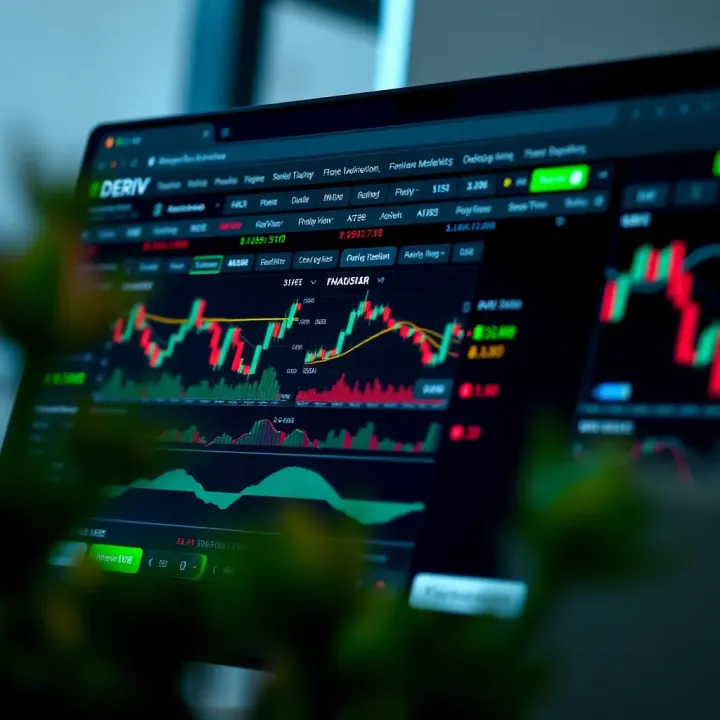
Kenyan traders can now follow price movements intricately and make faster, informed decisions with the enhanced charting capacity on Deriv.
The process involves a few straightforward technical steps. Once configured, the charts allow application of trend lines, support and resistance levels, and over 100 technical indicators right inside Deriv’s dashboard. This setup eliminates the need to switch back and forth between platforms, saving time and reducing the risk of missing market moves.
Moreover, using TradingView charts helps traders spot patterns such as head and shoulders or double tops that often precede significant market shifts. Kenyan traders who juggle matatu schedules or daily business activities will appreciate how this streamlining enables smarter trading during brief market windows.
In upcoming sections, we will break down the installation and customisation steps, point out key features beneficial for local traders, and offer tips on tailoring TradingView charts to your trading style. The goal is to guide you in enhancing your Deriv trading experience with tools trusted by millions globally.
Whether you trade forex pairs like USD/KES, commodities like gold, or indices, having TradingView charts embedded within Deriv makes technical analysis more accessible and reliable. The next step is how to implement this setup quickly and correctly so you start gaining from its capabilities immediately.
Before adding TradingView charts to Deriv, it's crucial to understand what these platforms offer and why combining them benefits traders. TradingView provides advanced charting tools, while Deriv is a versatile trading platform. Knowing their strengths helps traders make smarter choices and avoid unnecessary complications.
TradingView stands out for its comprehensive charting features. It offers a rich selection of chart types like candlestick, line, and bar charts, plus an extensive library of technical indicators such as RSI, MACD, and Bollinger Bands. Traders can also customise charts with drawing tools to mark trends and patterns. This flexibility allows a trader in Nairobi, for example, to analyse forex pairs or commodities deeply before placing bets on Deriv.
Additionally, TradingView supports scripting through its Pine Script language, enabling users to create custom indicators or automated alerts. This capability is a game-changer for traders looking to tailor the charts exactly to their strategy without relying solely on standard setups.
TradingView enjoys wide adoption because it combines powerful features with a user-friendly interface. Its cloud-based system means charts update in real-time across devices, handy for traders moving between the office and home. Around the world, thousands use TradingView for market analysis, ranging from beginners to professionals, which speaks to its reliability and broad appeal.
This popularity also brings a strong community element; users share setups, ideas, and strategies openly. For Kenyan traders, tapping into this global network via TradingView helps stay informed about international trends influencing local markets.
Deriv offers access to a variety of assets, including forex, stocks, commodities, and synthetic indices. This diversity means one platform can cover multiple investment interests without switching accounts. For instance, a trader in Mombasa can easily trade forex pairs like USD/KES and also explore commodities like gold without leaving Deriv’s environment.
Moreover, Deriv's markets run 24/7 in many cases, allowing traders to operate beyond Nairobi’s usual business hours. This continuous access suits those balancing trading with other responsibilities.
While Deriv has built-in charting tools, they are generally basic compared to specialised platforms. These include standard charts and simple indicators, which may suffice for casual traders but lack the depth needed for complex analysis.
Therefore, enhancing Deriv with external charting solutions like TradingView fills this gap. It equips users with a more powerful interface, richer visual data, and better technical tools for understanding price movements.
Linking TradingView charts directly onto Deriv boosts the quality of market analysis. Instead of toggling between two applications, traders get detailed visual data within Deriv’s dashboard. This setup saves time and minimises errors caused by switching screens or misreading data.
Moreover, TradingView's advanced tools, like multiple timeframes on one screen and custom alerts, offer an edge. For example, a trader can watch short-term price swings while keeping an eye on broader trends, all from one place.

Better charts lead to more informed decisions. Having TradingView’s advanced analysis tools within Deriv means traders can spot entry and exit points more accurately. They can also react swiftly to market changes using customised alerts.
This seamless integration reduces guesswork and emotional trading, common pitfalls for many. Kenyan traders, especially those handling volatile assets, will find such clarity invaluable for protecting capital and maximising profits.
Combining TradingView's powerful charting with Deriv's convenient trading environment creates a practical solution that sharpens strategy and execution for traders in Kenya and beyond.
Integrating TradingView charts into the Deriv platform gives traders a clear edge by combining TradingView’s detailed, user-friendly visuals with Deriv’s comprehensive market access. This guide walks you through the process, making it easy to enhance your trading setup, improve analysis accuracy, and react quicker to market moves.
Finding the widget on TradingView is your first step. TradingView offers a selection of widgets for different purposes, including charting tools that can be embedded elsewhere. You’ll want to look for the “TradingView Chart Widget,” which is designed to provide an interactive chart experience on external platforms. You can find this through TradingView’s developer section or their widget collection page. The widget is key because it offers the same powerful charting interface you see on the main site, now directly on your Deriv dashboard.
Setting up API or embed code is crucial for linking the TradingView chart with your Deriv account. Once you locate the widget, TradingView provides an embed code – usually JavaScript or iframe – that you can customise. This code includes parameters like symbol, interval, and theme. If you’re integrating on a personalised Deriv dashboard or web app, using TradingView’s API might be better to get more control over chart updates and data flow. Both methods require careful setup to ensure secure data transmission and smooth chart performance.
Customising chart appearance helps you make the charts fit your trading style and preferences. TradingView allows adjustments in colours, chart types (candlestick, line, bar), background themes (light or dark mode), and more. For Kenyan traders often working late into Nairobi’s night or early mornings, choosing a dark theme might reduce eye strain. Customising the layout prevents clutter, highlights relevant assets, and matches your workflow.
Configuring timeframe and indicators tailors the charts to your trading strategy. Whether you prefer 1-minute charts for quick scalping or daily charts for longer-term outlooks, TradingView’s interface lets you set these easily. Adding popular indicators like RSI, MACD, or Bollinger Bands that complement Deriv’s available assets improves your ability to spot entry and exit points. You can even save these settings for reuse, reducing time before every trading session.
Fixing connectivity problems is often a matter of checking your internet connection, widget code, or API keys. Slow or unstable internet in some Kenyan regions might cause the charts not to load or update poorly. Ensuring you have less congested network settings or a stable mobile data plan can help. If the widget refuses to load, double-check the embed code for errors or expiry in API tokens.
Resolving display glitches involves clearing browser cache, refreshing the page, or adjusting display resolution. Sometimes the chart may appear distorted or parts missing due to browser incompatibility or local system memory limits. Switching browsers or updating to the latest version usually solves this. It’s also useful to disable browser extensions that may interfere with scripts. Such simple fixes keep your charts looking sharp and reliable during trading hours.
Embedding TradingView charts into Deriv is not just about adding visuals; it empowers you to make faster, better-informed decisions while adapting to your unique trading habits and Kenyan tech realities.
By following these clear steps, you ensure a smooth, efficient integration that enhances your trading without disrupting your workflow or adding technical headaches.
Using TradingView within the Deriv platform can seriously boost your trading precision. The integration helps you tap into sophisticated tools that enhance analysis, timing, and overall market insight. To make the most of this setup, focusing on key TradingView features like technical indicators, alerts, and drawing tools is essential.
Popular indicators such as the Relative Strength Index (RSI), Moving Averages (MA), and Bollinger Bands are especially useful for Deriv assets like forex, cryptocurrencies, and commodities. For example, RSI helps flag overbought or oversold conditions – handy when trading volatile items like Bitcoin on Deriv. MAs smooth price data, making it easier to spot trends across different timeframes, which is vital whether you’re doing short-term trades or holding positions longer.
Custom indicator setups allow traders to tailor their analysis to specific strategies or asset behaviour. You might combine a 20-day moving average with the MACD (Moving Average Convergence Divergence) to get a clearer picture of momentum changes. Kenyan traders can also create or adjust indicators to factor in local market quirks, such as spikes linked to EAC (East African Community) economic announcements, giving a competitive edge.
Creating price alerts on TradingView ensures you don’t miss critical moments to enter or exit trades on Deriv. For instance, if you set an alert for when the EUR/USD pair breaks a resistance level, TradingView will notify you instantly, saving you from staring at screens all day. This helps maintain focus while managing other personal or work commitments.
Notifications for trading opportunities go beyond price levels—they can trigger on indicator crossovers or volume changes. Receiving alerts for these signals allows swift reactions in fast-moving markets. For example, if the MACD line crosses above the signal line on a Deriv asset, you get a notification, prompting a timely buy decision without delay.
Marking key support and resistance levels visually on TradingView charts within Deriv helps you identify where price is likely to pause or reverse. Drawing horizontal lines at previous highs and lows can guide entry points or stop-loss placements. Kenyan traders often notice such zones around major economic events or after political developments – annotating them keeps the information handy throughout trading.
Tracking patterns and trends using drawing tools lets you spot formations like triangles, head and shoulders, or flags. Recognising these signals early improves your chances of predicting future price movements. For instance, a bullish flag pattern on a currency pair like GBP/USD might indicate a strong upward push is imminent, helping you place timely trades on Deriv.
Using TradingView’s built-in analysis capabilities on Deriv lets you combine visual and technical insights. This dual approach sharpens your judgement and supports decisions based on both price action and indicator signals.
In summary, leveraging TradingView’s indicators, alerts, and drawing tools within Deriv equips Kenyan traders with a practical edge. These tools improve market timing, help manage risks, and make chart reading more intuitive, ultimately leading to better trading outcomes.
For Kenyan traders, using TradingView charts on the Deriv platform isn't just about aesthetics; it’s about adapting tools to local realities like internet quality, data limits, and device capabilities. These practical tips help you get the best out of the setup without unnecessary lag, data drain, or confusion. Whether you trade from Nairobi or a rural town, applying these pointers enhances your trading experience and can improve your decision-making.
Ensuring smooth chart loading in Nairobi and beyond: In many parts of Kenya, including major cities such as Nairobi and Mombasa, internet speed can fluctuate unexpectedly. Smooth chart loading relies on stable connectivity, so using a reliable ISP or Safaricom 4G bundles with good data coverage improves TradingView chart responsiveness on Deriv. Traders in more remote counties might consider connecting during off-peak hours when network traffic is lower, helping avoid frustrating lag or incomplete chart updates.
Device recommendations: To handle the complex visuals and live updates from TradingView charts, a device with decent RAM (at least 4GB), a fast processor, and a good display is advisable. Most mid-range smartphones or laptops bought within the last three years will suffice. Using a laptop with a larger screen might help spot trends easier compared to the limited view on small phones. Also, make sure your device’s browser is updated to support the latest web technologies, ensuring compatibility and security while using Deriv.
Using offline or low-data versions: While TradingView offers high-quality real-time charts, these can be data-heavy. Kenyan traders often benefit from downloading chart snapshots or using TradingView’s mobile app offline features for initial analysis, then switching to online mode only when making trades. This strategy reduces frequent data consumption without sacrificing critical insights. Offline charts provide a balance when your data is limited or expensive.
Balancing real-time updates and data charges: Live price feeds are vital, but constant streaming can spike your data bills quickly. To manage costs, customise your TradingView charts on Deriv by reducing the number of indicators or refreshing data at intervals rather than on every tick. For example, set updates every 30 seconds if second-by-second data isn’t necessary for your trading style. This reduces continuous data use yet keeps you informed enough to react promptly.
Integrating TradingView analysis with Deriv options trading: Kenyan traders can use TradingView's powerful indicators alongside Deriv’s options trading to enter more calculated trades. For instance, spotting a clear support level on TradingView before buying a CALL option can increase your chances of success. Combining visual cues with Deriv’s available options expands your toolkit and confidence, rather than relying solely on price feeds inside Deriv.
Risk management practices for Kenyan market context: Local market volatility, triggered by currency fluctuations or political events, means risk management is crucial. Use TradingView charts to identify stop-loss triggers and set limits accordingly on Deriv. Establishing clear exit points based on logical chart patterns helps avoid emotional trading, which many Kenyans fall into during turbulent times. Also, diversify your trades across assets supported on Deriv to spread risk.
Kenya’s trading scene demands a practical, resource-efficient approach. These tips help you improve chart use on Deriv and keep your trading both sharp and sustainable.
Being aware of limitations and compliance factors is key for anyone connecting TradingView charts to the Deriv platform. Kenyan traders especially need to understand the boundaries set by the platform and local regulations to avoid surprises that could impact trading performance or legal standing. These insights help you make informed choices about which assets to trade and ensure that your trading activities comply with Kenya’s financial laws.
Deriv supports a variety of asset types that can be analysed using TradingView charts, but it’s important to know which ones are available for live trading. Commonly, Deriv offers forex pairs, commodities like gold and oil, synthetic indices that simulate market conditions, and select stock CFDs. However, not every asset on TradingView may be tradable on Deriv. For example, some global equity indices or cryptocurrencies charted on TradingView could be missing or restricted on Deriv due to licensing or platform focus.
This matters practically because Kenyan traders must verify that the assets they want to trade align with what's actually supported. Using TradingView indicators on an unsupported asset won’t translate into real trading trades on Deriv. Always check Deriv’s asset list first to avoid confusion or wasted effort.
Kenyan traders should also note any regional restrictions. Deriv’s availability or certain asset trades might be limited in Kenya due to regulatory or licensing issues. For instance, some binary options products may not be offered to Kenyan users because of stricter oversight. These regional constraints can affect which charts you can embed and use effectively within Deriv.
Kenyan traders must comply with rules set by the Capital Markets Authority (CMA), which regulates trading and investments in the country. While Deriv operates internationally, it remains essential to ensure your trading methods, including using integrated charts, follow CMA guidelines. CMA’s rules focus on protecting investors, ensuring transparency, and preventing fraudulent schemes, so trading on platforms like Deriv with TradingView should remain within these boundaries.
Additionally, pay close attention to security and data privacy when connecting third-party tools like TradingView with Deriv. Protect your personal and financial information by using secure login credentials and enabling two-factor authentication where possible. TradingView’s data is streamed over the internet, so using secure connections helps prevent interception or misuse of your trading data. Being vigilant about these factors reduces risks of hacks or identity theft, safeguarding your trading funds and personal details.
Understanding these platform and legal limits ensures that the powerful combination of TradingView and Deriv works smoothly for Kenyan traders, protecting both investments and compliance status.
Confirm Deriv supports your chosen assets before using TradingView charts for trading.
Be aware of regional trading restrictions that may affect your access.
Follow CMA regulations to avoid legal run-ins.
Use security best practices to protect your data when integrating platforms.
These considerations will help you trade smarter and safer using TradingView charts on Deriv in Kenya.
🔧 Learn how to seamlessly integrate Deriv with TradingView! Step-by-step guide covering key concepts, technical tips, challenges & best practices for traders and developers.
🔐 Learn how to safely sign in to your Deriv.com account and navigate its features with ease. Tips for managing your login and fixing common sign-in issues included.
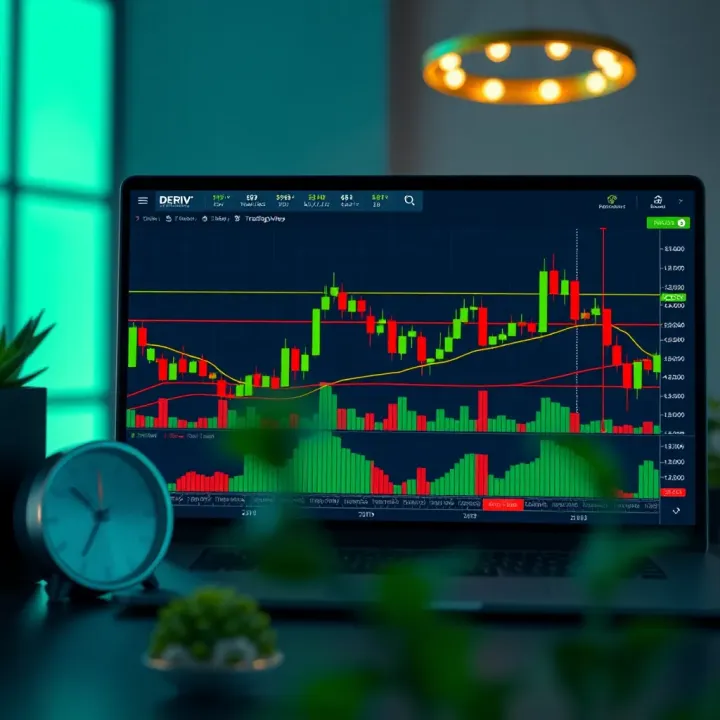
📊 Learn how to use Deriv with TradingView effectively! Get setup tips, strategy advice, and risk management tools tailored for Kenya traders.

🔐 Learn how to log in to Deriv Bot securely, solve common issues, and get the most out of trading tools tailored for Kenyan users. 📈
Based on 15 reviews